73 features · v1.6.0

Everything QuickManager
can do

Grouped by where you'll find it in the extension, so you can look something up rather than read the whole list.

Lineups

Lineup Optimizer tab

Set the best available starters in every league you manage, in one pass.

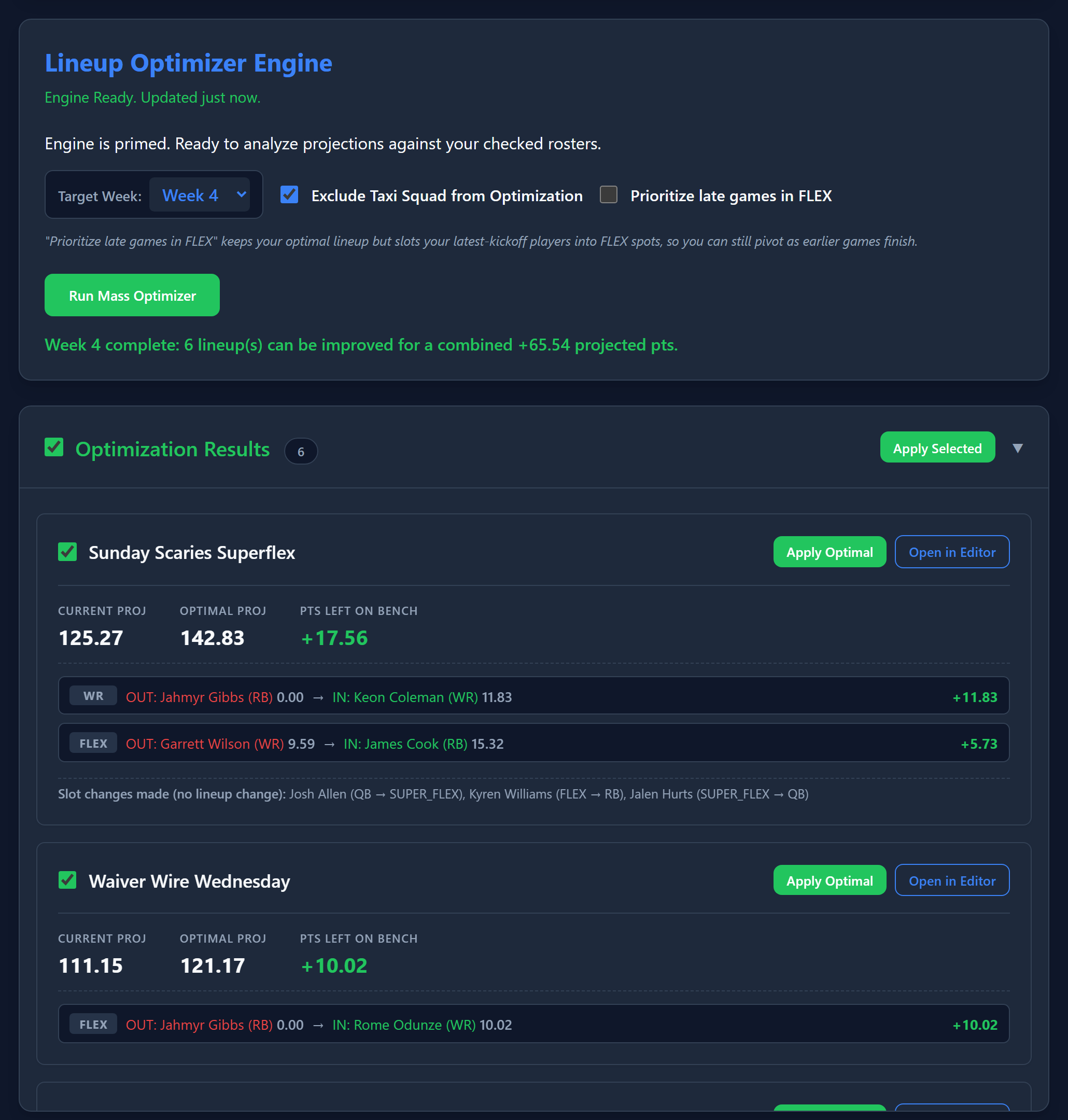
Mass lineup optimizer

Sets optimal starters across every league you've opted in, using Sleeper's own weekly projections and each league's exact scoring settings.

Per-league scoring accuracy

Reads each league's scoring rules individually, so a TE-premium league and a standard league get different answers for the same player.

Target any week

Run it for the current week or set lineups ahead of time for a future one.

Exclude taxi squad

Keeps taxi players out of consideration so a stashed rookie never lands in your starting lineup.

Prioritize late games in FLEX

Keeps your optimal lineup but pushes latest-kickoff players into FLEX spots, so you can still pivot as earlier games finish.

Roster editor

Open any team to move players between your starters, bench, IR and taxi squad without leaving the extension.

Matchups & Power Rankings

Matchups tab

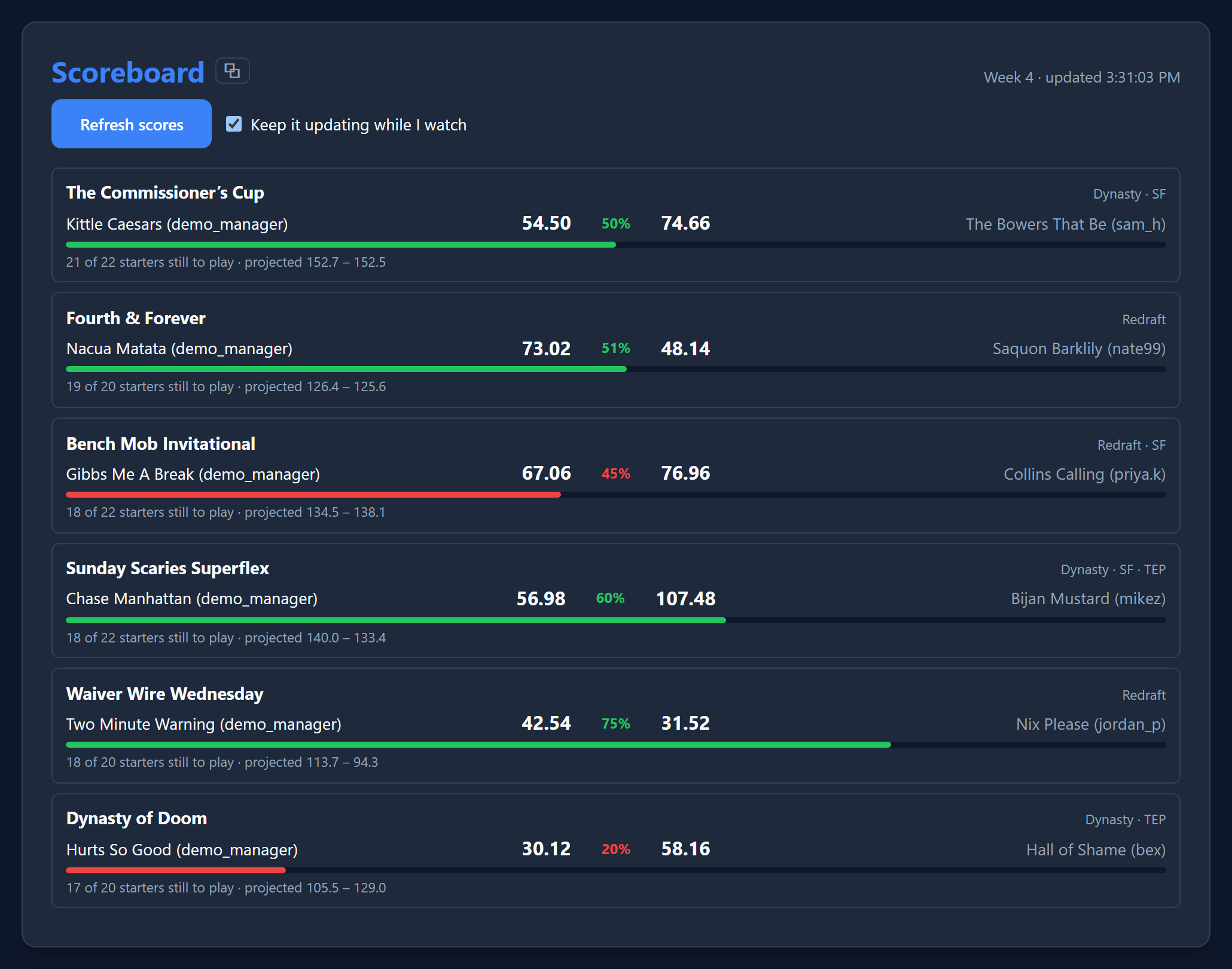
This week's matchup for every league at once, plus a full season simulation to see which leagues are still genuinely in play.

QuickManager Weekly Matchups with win probability, and the Power Rankings cross-league triage table
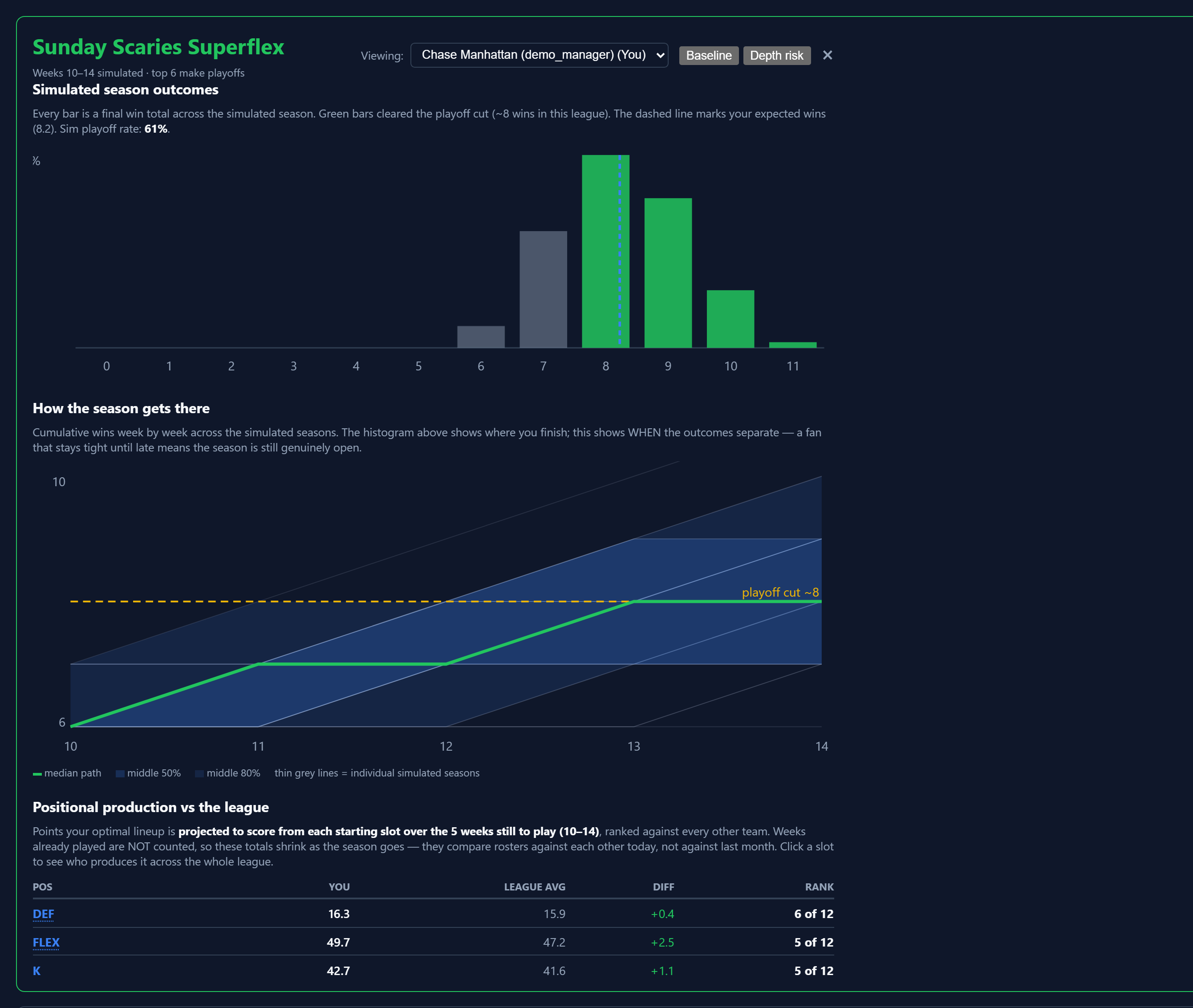
QuickManager Power Rankings detail view with a fan chart of simulated season paths and a positional production table

Weekly matchups across every league

See who you're up against and how the projected score compares, in every league at once, before you finalize a lineup.

Live win probability

Shown alongside the projected margin for every matchup — always your own chance to win, never flipped based on who's favored.

Full season simulation

Simulates every remaining week thousands of times to produce real playoff odds, not just a single projected record.

Depth & injury-adjusted model

An optional second simulation that accounts for availability risk across your whole roster, toggled against the standard optimal-lineup model.

Cross-league triage table

Every league ranked by how much this week's result actually swings your season — sortable by playoff odds, week-swing, fragility, or weakest slot.

Fan chart of simulated season paths

Cumulative wins week by week across every simulated season, condensed into percentile bands with the median path and the real playoff cut line drawn in.

Positional production vs the league

Ranks your optimal lineup's output at every position against the rest of the league, so you know exactly what to go fix.

League-wide positional breakdown

Click any position to open the whole league in that one slot: every manager ranked by its projected production, with the players carrying it listed beside them. Sortable by every column.

Contributors matched to real starting slots

The number of players listed for a slot comes from your league's own lineup settings, so a 3-WR league lists three — and SUPERFLEX is ranked separately from FLEX rather than folded into it.

Weakest-slot & fragility analysis

Flags your single weakest starting slot against the league median, and how many points of playoff odds you're exposed to from an injury.

League View

Full standings for any league — real record, points for/against, and a "lucky" / "unlucky" flag from comparing scoring rank to win rank. Every team is clickable straight to their roster and draft picks.

Exact draft pick slots

Picks resolve to a real slot ("1.05, 5th overall") computed from the actual draft order, handling snake, linear, and 3rd-round-reversal leagues correctly.

Save & export a run

Save a full Power Rankings run as a self-contained page you can reopen, print or share — the positional breakdown opens inside the saved file too. See an example export.

Starters CSV and XLSX

Export one row per team, per starting slot, per contributing player — as a flat CSV, or as a spreadsheet with each league on its own sheet and numbers left numeric so they sort and chart.

Spy Mode

Look up another manager's roster and situation read-only — anything that would let you act on their behalf is automatically disabled while you're viewing someone else's team.

Player Portfolio

Portfolio tab

The same players, two questions: what needs fixing before kickoff, and where your season-long exposure actually sits.

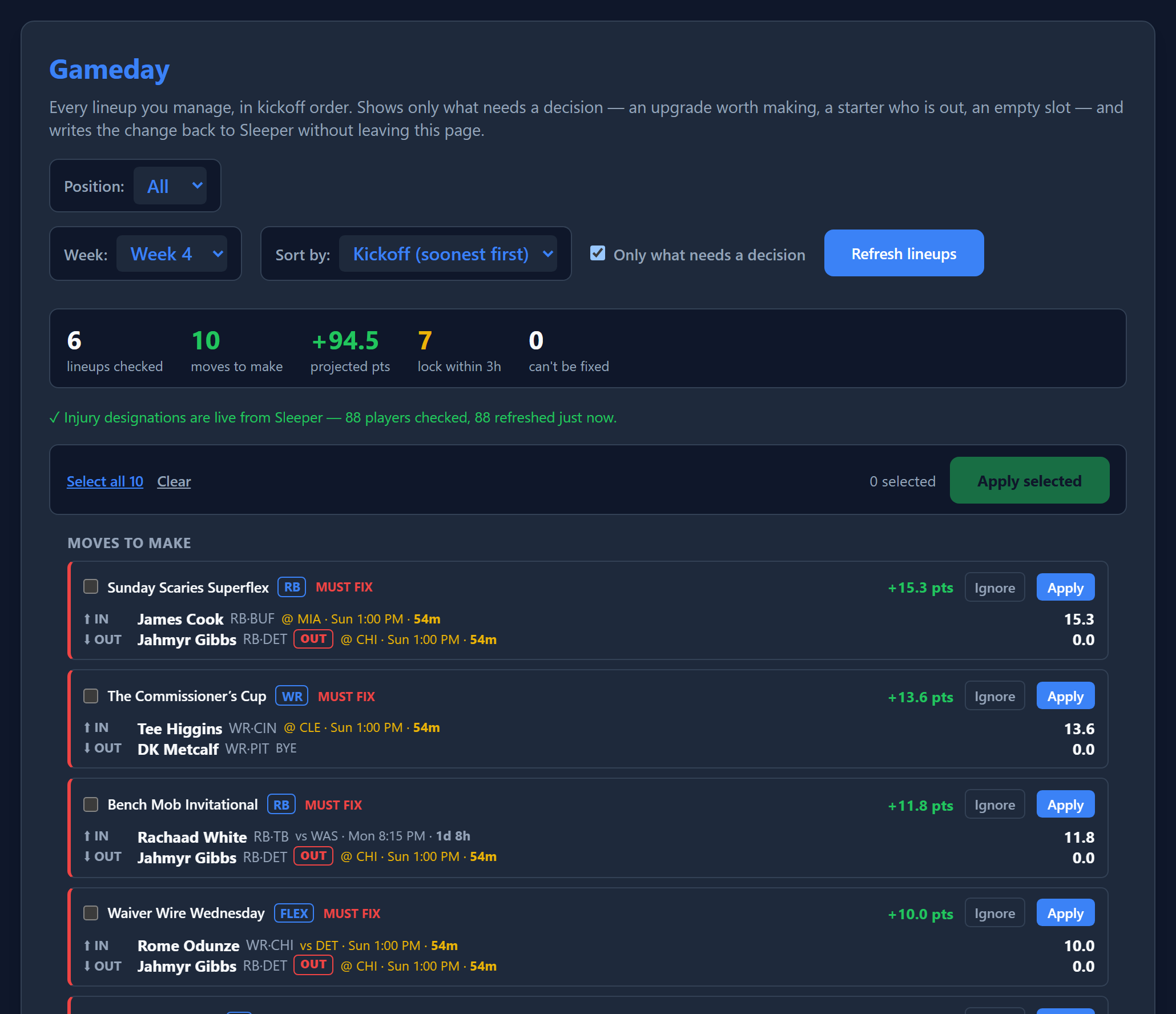
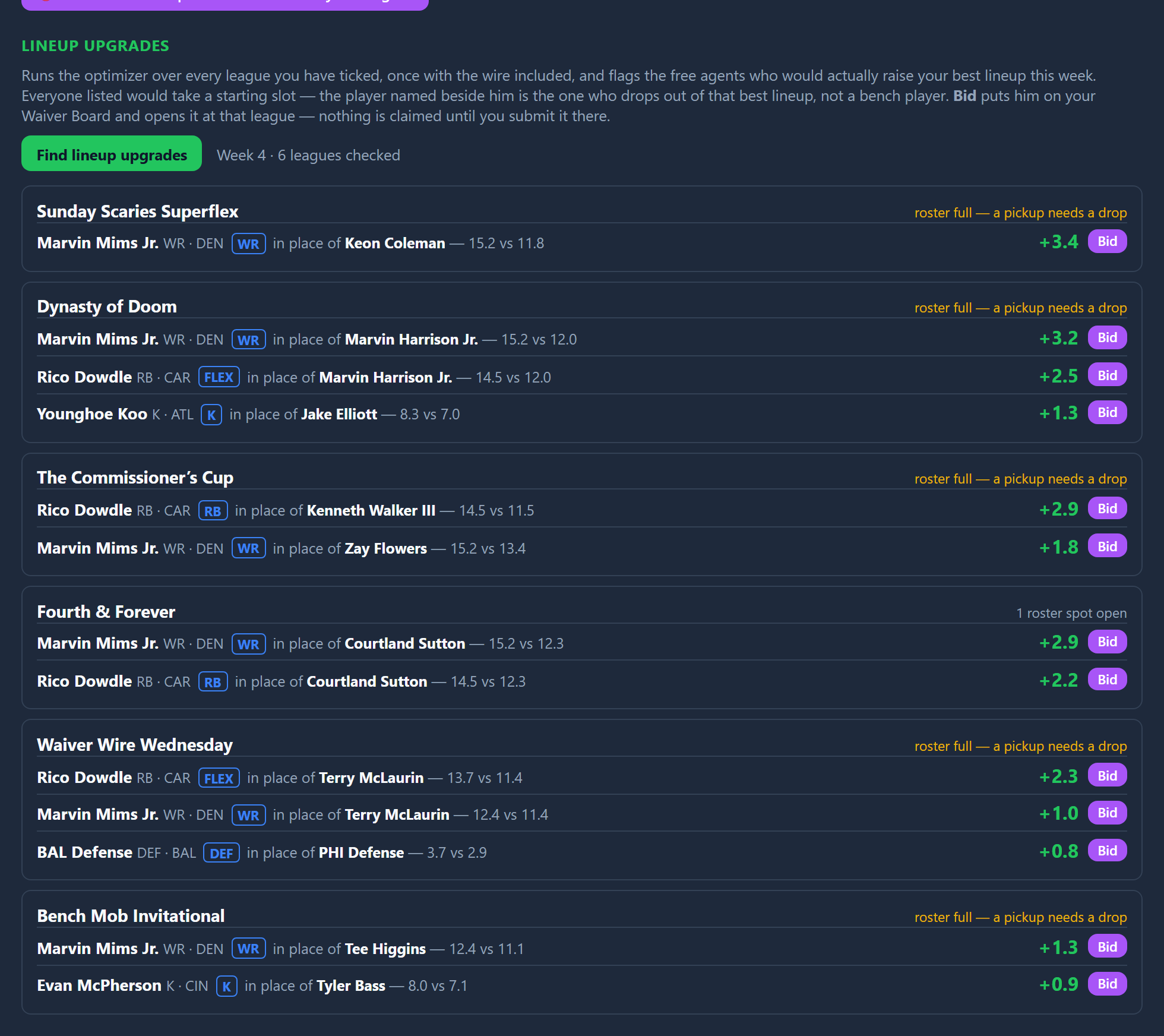
QuickManager Gameday board listing cross-league lineup swaps in kickoff order, each naming the player coming in, the player going out, and the projected points gained

Gameday board

Every lineup you manage in one list, ordered by kickoff, showing only what still needs a decision — an upgrade worth making, a starter who's out, an empty slot.

Both sides of every swap

Each suggestion names who comes in, who goes out, the slot it touches, and what the change is worth in that league's own scoring.

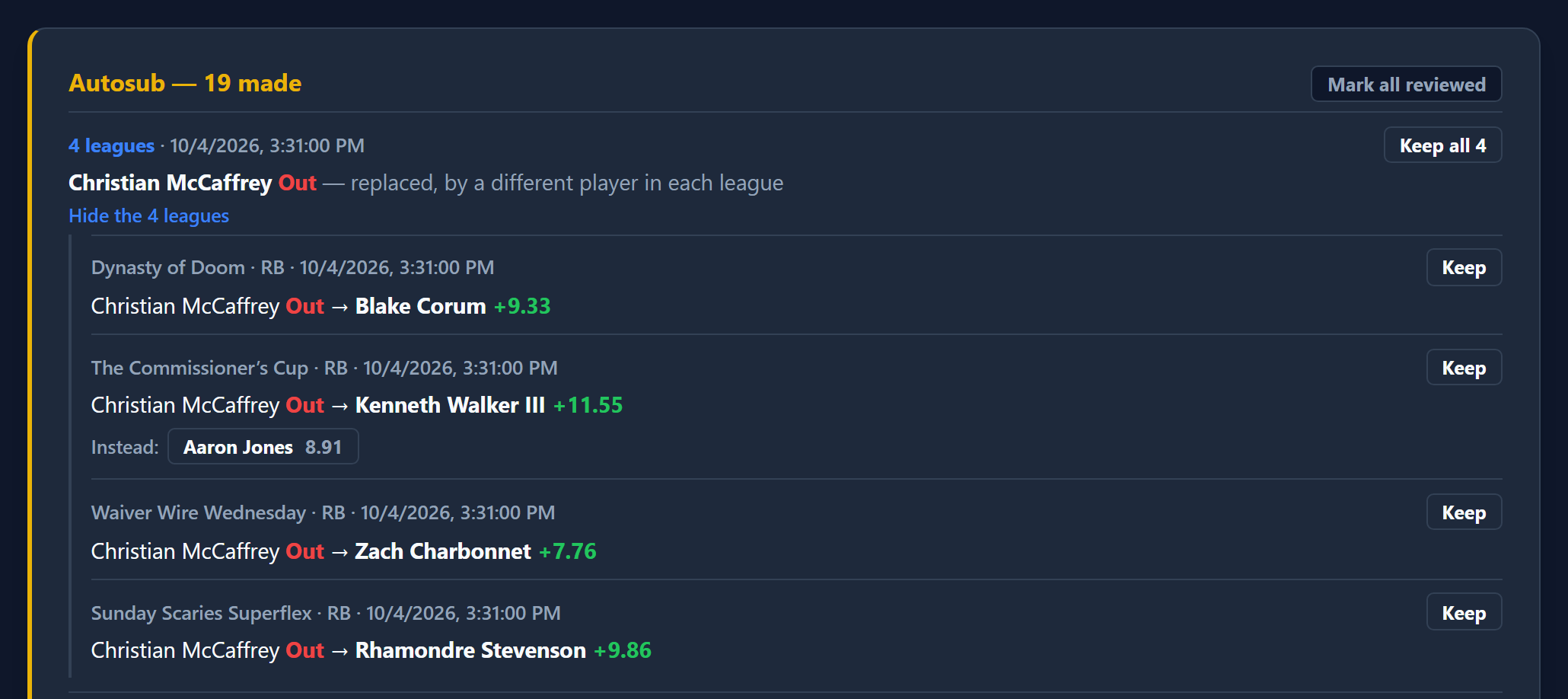
Apply one, or all of them

Fix a single lineup, or tick the moves you agree with and push them to every league at once. Skipping one never breaks the others.

Kickoff countdowns and lock awareness

Shows how long is left on each decision. Once a player's game has started he's marked locked and never suggested — you're never offered a change that can't happen.

Injury flags you can act on

Out, doubtful and questionable tags on every row, with the body part and practice report one click away. A player ruled out counts as zero no matter what the projection still says.

What can't be fixed, said plainly

When a starter is out and nothing on your bench is eligible for that slot, it tells you — instead of dropping the row because it had no suggestion to offer.

Sort by what matters right now

Kickoff order by default, or re-sort by projected points or urgency. Filter to a single position or league type without leaving the page.

Cross-league exposure

The season-long view: every player you own, how many of your leagues he's in, and which of those are still realistically live.

Age context, never a forecast

Flags players entering, in, past, or well beyond their position's typical prime window — context for a decision, not a prediction.

Waivers & Free Agents

Waiver Wire tab

Find who's available across every league, then claim them without going league by league.

QuickManager Waiver Wire tab with pending waivers, the Waiver Board, Mass Drop, and Free Agent Radar with position and team filters

Cross-league free agent scan

Searches every league you manage at once and shows where a player is actually available.

Free Agent Radar

Surfaces the highest-projected unowned players across all your leagues. Filter by position (offense and IDP alike) or a specific NFL team, and optionally include already-rostered players to scout trade targets instead of just the waiver wire.

Trending adds

Shows who the wider Sleeper community is picking up right now.

Bulk claim submission

Queue claims in multiple leagues and send them all at once.

FAAB bidding

Set a flat bid across leagues or tune each one individually, with your remaining budget shown per league.

Optional cap on total FAAB spend

Set a ceiling on what an entire board of claims could cost in one league, across every claim at once — catches a cap that's accidentally lower than your own top single bid before you submit anything.

Right claim type per league

Detects whether a league uses FAAB, rolling priority, or reverse standings and submits the correct kind of claim automatically.

Edit pending bids

Change the bid on a claim you've already submitted, without cancelling and re-entering it.

Drag-and-drop waiver priority

Reorder competing claims in a league by dragging, the same way you would in Sleeper. Bids and priority are kept consistent, so a smaller bid can't be ranked ahead of a bigger one.

Makes room before claiming

Checks whether a claim would be rejected for a full roster and offers to open a spot first, instead of letting it fail after the fact.

Watches claims you've already sent

If your roster changes after you submit, it flags any pending claim that would now fail and offers to fix it.

The Waiver Board

Add the players you want this week to one target list, and see instantly which of your leagues each one is actually available in. QuickManager builds a claim per target automatically using your own bench, but never decides for you — change the drop from a dropdown, or click "try another drop" to add your own fallback attempt on the same claim.

Build from a ranking

An optional tool for the Waiver Board: drag your targets against your own bench, best to worst, and QuickManager works out the full sequence of claims for you — which drop unlocks which add, and in what order to submit them.

Autofill bids from a max %

Set the most you'd pay for a player once, as a percentage of budget. QuickManager fills in the dollar amount correctly in every league that player is a target, accounting for what's already committed to other claims in the same league.

Manage already-submitted claims in place

Your pending claims for a league now show up right on the Waiver Board — edit the bid, change who gets dropped (including switching to an open roster spot if one's freed up since you submitted it), or cancel. A true total exposure number shows what's already pending plus what you're about to add.

Season-average rankings

Waiver Board rankings now use a player's average projected value across the season, not just this week's number — so a normally-good starter who's banged up for a single week doesn't get unfairly buried at the bottom of a comparison.

Mass Drop

Drop a player from every league you own them in, in one action — handy the moment a flier you added everywhere stops being worth the roster spot.

Suggested Drops

Flags anyone already on your rosters who's no longer on an NFL roster at all, right next to Mass Drop.

Trades

Trade Factory & My Open Trades

Build an offer once, find everyone who can take it, and manage what's pending.

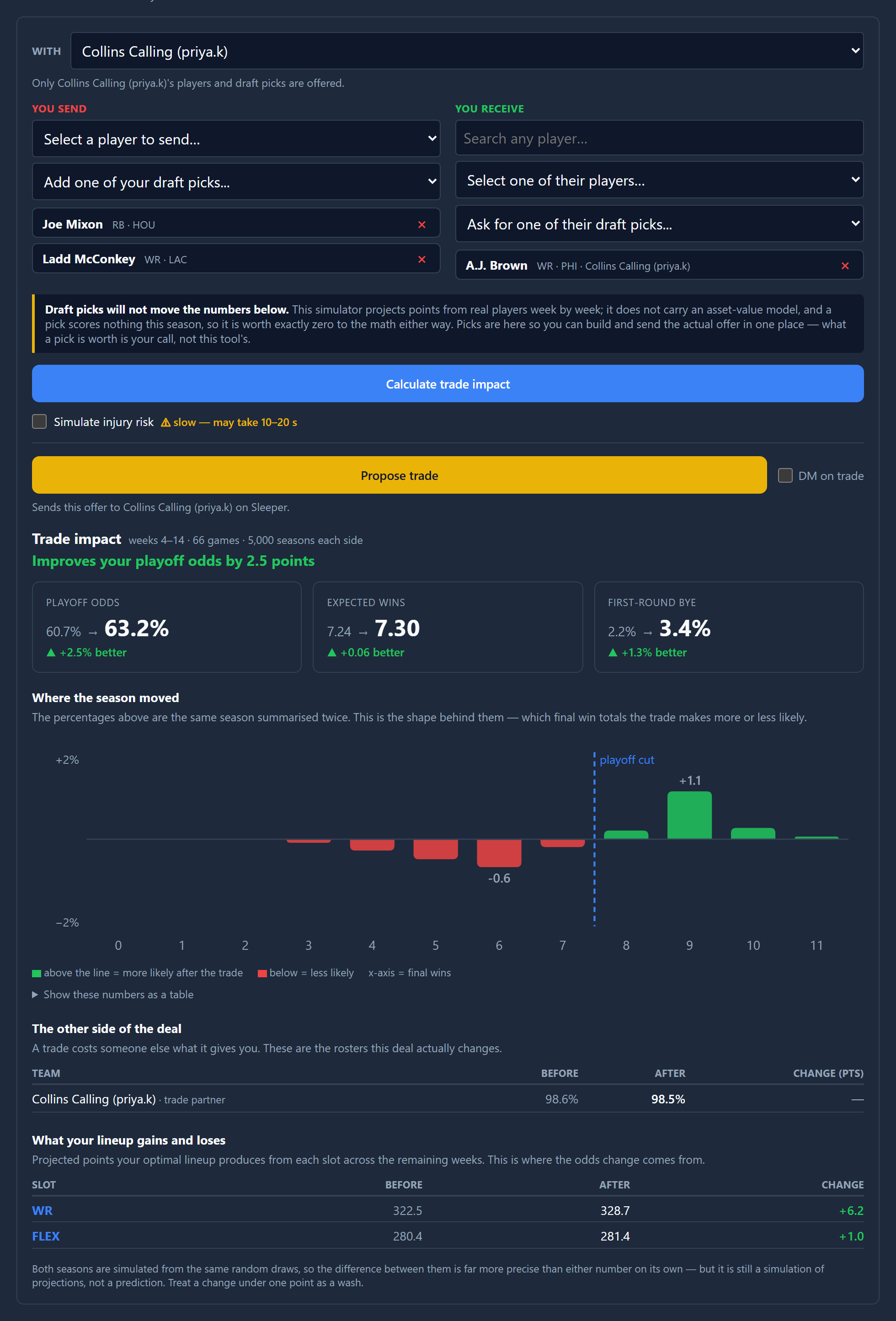
Trade Impact Simulator

Simulates the rest of the season before and after a trade using a deterministic Monte Carlo model to isolate exactly how a proposed swap impacts both teams' playoff odds.

Depth & Injury Risk Modeling

Evaluates a trade's true cost to your roster's fragility by optionally simulating 2,000 season paths with random injuries and bye weeks applied to both sides of the trade.

Find trade partners across leagues

Describe the trade you want and it searches every league for managers who can actually make it work.

Bulk propose

Send the same offer to every valid partner at once.

Draft pick trading

Include draft picks on either side, with picks acquired from another team labelled by their original owner.

All pending trades in one place

Every open offer across every league, incoming and outgoing, with accept, decline and withdraw in one click.

Counter an offer

Reshape a trade someone sent you and send it back, without declining and rebuilding from scratch.

Modify your own offer

Change an offer you've already made instead of withdrawing it and starting over.

Edit both sides

Add or remove players and picks on either half of the trade, including asking for something new from their roster.

Send a DM with your offer

Optionally attach a Sleeper direct message to every trade you send, so the other manager actually notices it. Works for single and bulk sends.

Confirm before anything sends

Every propose, bulk propose, counter and simulator offer stops at a summary of exactly what moves each way. Cancel leaves the builder untouched.

Propose straight from the simulator

Once a simulated trade is aimed at a specific manager rather than a hypothetical one, send it without rebuilding it in the Trade Factory.

Trade with a chosen manager

The simulator defaults to "anyone (hypothetical)" and narrows to one manager on request, which is what makes their draft picks selectable.

Pick from their roster, or search

Choosing a partner shows their players as a selectable list. The search box stays, for anyone who would rather type a name.

FAAB in trades

Waiver budget moves as its own leg of a trade, parsed and sent the way Sleeper models it — visible in the summary, the DM and the offer, including through a counter.

Roster Health

My Leagues

Catch the roster problems that quietly cost you points or get your team flagged.

IR eligibility per league

Works out who can go on IR under that league's own settings rather than a generic rule — starting or benched — and only offers moves Sleeper will accept.

Taxi squad eligibility

Respects each league's experience limit, taxi deadline and non-rookie rules — including the ones Sleeper's own API doesn't enforce.

Move everyone eligible to IR

Scans every league for players who qualify for IR right now and clears the space in one pass. Shows you exactly who it wants to move first.

Find and fix illegal rosters

Spots rosters breaking their league's rules — a healed player still on IR, someone who aged out of the taxi squad, or simply too many players — and fixes what it can without cutting anyone.

Cuts only as a last resort

Puts eligible players back into open IR and taxi slots first. If cuts are genuinely unavoidable it says so, and leaves the choice to you.

Drop a player

Cut someone from any roster directly, with confirmation — or use Mass Drop to cut them from every league you own them in at once.

Setup & Account

Header

Connecting and switching accounts.

Automatic connection

Log into Sleeper as normal and the extension picks up your session and confirms it's really yours — nothing to copy, paste, or double-check. On iPhone and iPad, where Orion is the only browser that supports extensions like this, a manual token-paste option is there as a fallback.

Choose which leagues count

Opt any league in or out; every tool respects that choice.

Filters that only offer what applies

League filters hide options that would return nothing — a format or a manager you have no league for is simply not listed.

Team Name (manager), everywhere

Every place the extension names a team or a manager, it names both, in one consistent format across every tool.

QuickManager works with your own Sleeper login and only ever acts on leagues you've opted in. It's an independent tool — not affiliated with, endorsed by, or sponsored by Sleeper. Questions or a feature you'd like to see? Email us.